
Host movies, TV shows, music, and family media on your own Windows or Linux server while keeping control of storage and access.
Coma Media Server
Build your own private streaming server.
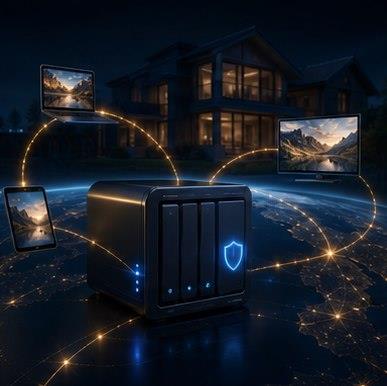
Host your own movies, TV, music, and family libraries from a private server. Stream at home or away with direct play, transcoding, and secure account access.
Built for private streaming
Self-hosted media, clean playback, and controlled access.Account portal
One place for servers, profiles, friends, sharing, and signed addons.
Connect servers
Sign in with a COMA account and keep your server available from the account portal.
Read server setup Share librariesInvite friends with scoped access, short-lived playback tokens, and per-library permissions.
Learn about sharing Stay updatedKeep your server current with guided update checks and clear download options.
Check downloadsWhy COMA
Self-hosted media server software built for private streaming.
COMA Media Server is designed for people who want a private cloud streaming setup without handing their home media library to a hosted service. Run your own server, control remote access, and keep account, playback, sharing, and addon management in one place.
Stream outside your home through secure remote routes, including relay-ready playback for networks where direct access is difficult.
Prefer direct play for quality and efficiency, with transcoding support for devices, bandwidth limits, subtitles, and unsupported formats.
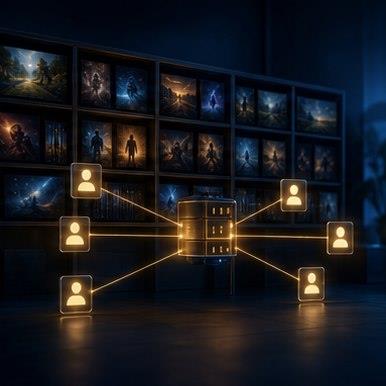
Invite family accounts, manage shared libraries, and control playback or download access without exposing your whole server.
Extend COMA with signed addons that include package hashes, permissions, compatibility checks, and safer installation metadata.
Use the COMA cloud account portal for connected servers, playback access, library sharing, and account security while your media stays self-hosted.
Supported platforms
Run COMA at home, stream from the web, and grow into more devices.
Install COMA Media Server on Windows for a home media server with library scanning, local management, and remote playback.
Use the Linux installer for server-style deployments, always-on libraries, remote streaming, and private web playback.
Run COMA with Docker using the Compose ZIP package managed alongside the Windows and Linux downloads.
Access your media outside the home through configured public routes, Cloudflare-style tunnels, or relay-capable playback flows.
Watch through the COMA web player with direct play where possible and transcoding paths for compatibility.
Mobile-friendly web playback is supported today, with dedicated mobile app experiences on the product roadmap.
Trust and safety
Clear boundaries for media, downloads, and account security.
How COMA handles user media
COMA provides software, accounts, and remote access controls. Your media stays self-hosted on your own server.
Read policy Installer signing statusCheck current package hashes and verification commands before installing or updating COMA.
Check downloads Technical docsInstall on Windows or Docker, configure remote access, reverse proxy, transcoding, and GPU acceleration.
Open docsPlans
Pick the access level your server needs.
Free
Free account
- Up to 2 local users
- Built into the main app
- No payment required
Plus
£20
- Up to 10 users
- 1 server/device
- Remote access support
- Guided setup
Unlimited
£35
- Unlimited users
- 2 servers/devices
- Remote access support
- Guided setup
Ultimate
£60
- Unlimited users
- 10 servers/devices
- Remote access support
- Guided setup
Enterprise
Custom pricing
- Unlimited users
- Unlimited servers
- Priority support
- Custom onboarding
Enterprise plans are quoted directly and tailored for larger deployments.
Addon store
COMA users can browse signed addons that extend the media server experience with extra tools and integrations.
Plan comparison
| Plan | Users | Servers | Best for |
|---|---|---|---|
| Free | 2 | 1 local install | Trying COMA at home |
| Plus | 10 | 1 | A single household server |
| Unlimited | Unlimited | 2 | Families with more users |
| Ultimate | Unlimited | 10 | Power users with several servers |
| Enterprise | Unlimited | Unlimited | Larger deployments |
FAQ
Self-hosted media server FAQ
What is a self-hosted media server?
A self-hosted media server is software you run on your own computer, NAS, or server to organise and stream your personal media library. COMA Media Server is built for private streaming, remote access, web playback, and family sharing.
Is COMA free?
COMA includes a free account path for basic use. Paid plans add higher household limits, more server options, remote access features, signed addons, and support options depending on the plan.
Does COMA support remote streaming?
Yes. COMA is designed for remote streaming outside the home through configured public URLs, tunnel-style routes, relay-capable playback, and secure account-based access.
Can I stream outside my home?
Yes, when remote access is configured correctly. COMA can use direct routes where available and relay-style routes where home networks, carrier-grade NAT, or router limits make direct access difficult.
Is COMA a Plex alternative?
Yes. COMA is a self-hosted Plex alternative for users who want private cloud streaming, shared family libraries, web playback, signed addons, and direct control over their own home media server.
Does COMA support transcoding?
COMA supports direct play where possible and uses transcoding when a device, browser, subtitle format, bandwidth limit, or media codec needs a compatible playback stream.
Can I share libraries with family?
Yes. COMA includes shared family library workflows so server owners can invite users, control permissions, and manage playback or download access from the account portal.
When can I use COMA after checkout?
After checkout is complete, sign in to your COMA account, download the installer, and follow the setup guide for your server.
Setup guides and media server articles
Watch the setup video and get COMA running on Windows or Linux.
Install, activate, add libraries, set remote access, and prepare backups.
Install on Windows or Docker, configure remote access, reverse proxies, transcoding, and GPU acceleration.
Learn about self-hosted media servers, private streaming, direct play, transcoding, and library organisation.
Apps
Get COMA on your devices.
Install the Android Server, Android client, iPhone/iPad client, or Fire TV app when each store listing is live.
Android Server
Android Client
iPhone and iPad
Fire TV